
How to post your first job on Klearskill
Updated April 23, 2026 · 3 min read
You sign up. You want to post a job. This walks through the entire flow, from the dashboard to a live, public application page. About three minutes end to end.
Before you start
You will need:
- A job title and a basic description (paste from a doc is fine)
- A start date for the role
- A rough number of how many applicants you want to cap at (50 is a good default)
You do not need a career page, existing job board logins, or anything else.
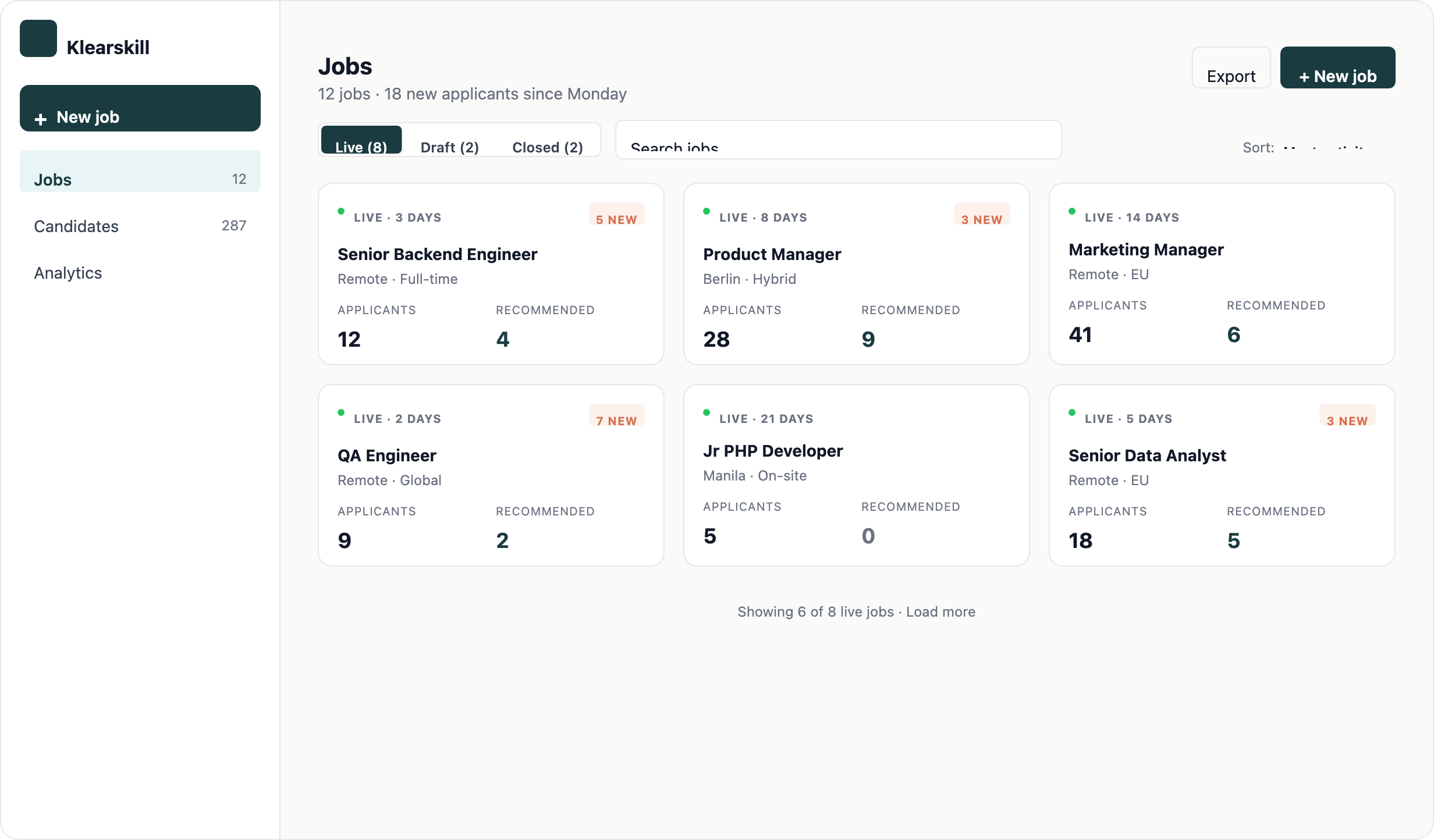
Step 1: Click New Job in the sidebar
From any page in the app, the New Job button sits at the top of the left sidebar. Click it.
Step 2: Fill in the basics
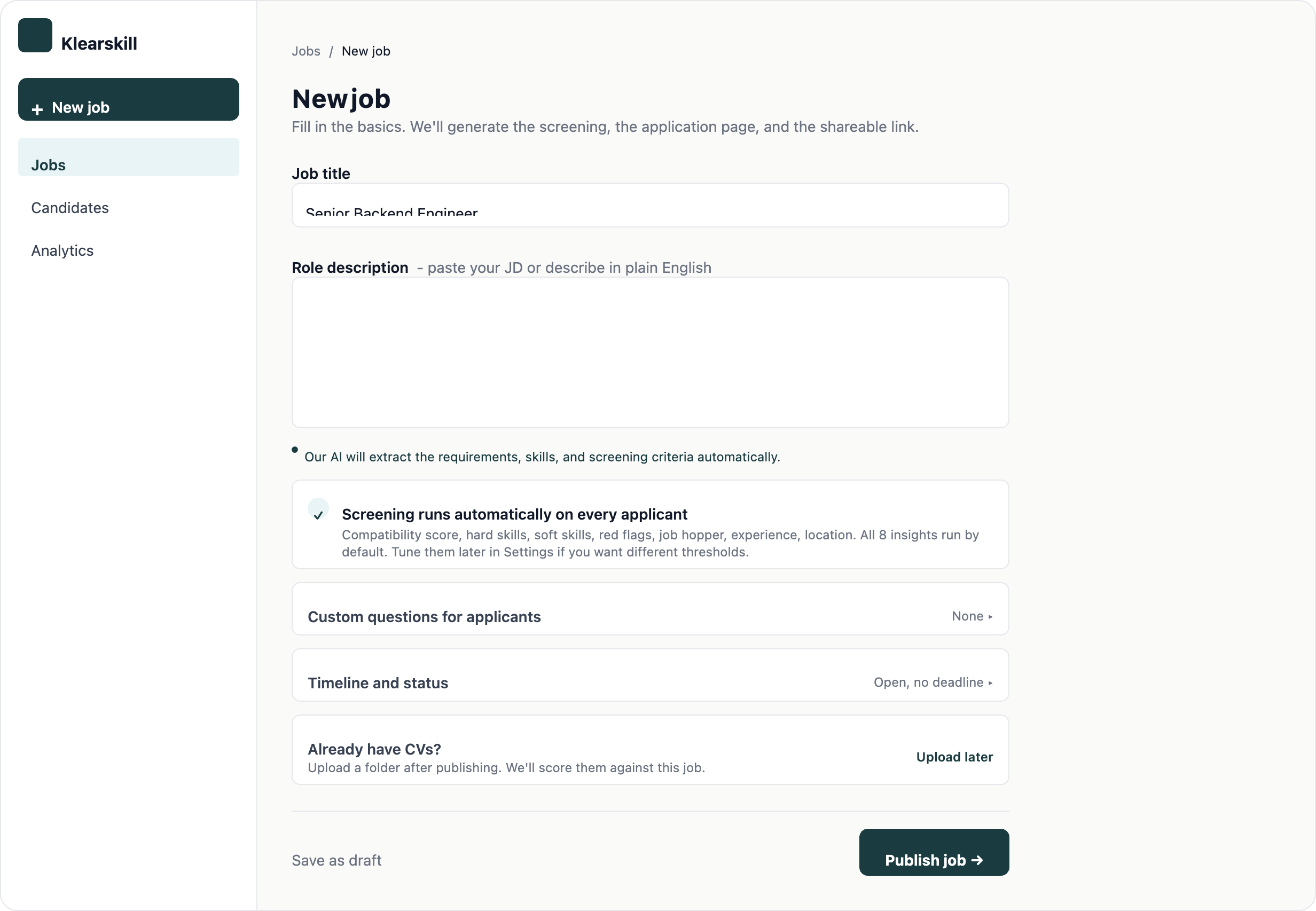
The new job create page is one scrollable form. There is no multi-step wizard. Sections are:
- The basics: job title, internal name (only your team sees this), department
- Location and type: where the role is and full-time, part-time, or contract
- Dates and volume: when the role starts, when applications close, applicant cap
- Job description: a textarea you can paste into, 5,000 character limit
- Questions for applicants: default questions are pre-filled, add or remove as needed
- AI scoring: leave this on (recommended) so every applicant is scored against the eight default insights
You can save as a draft at any time, or click Publish job when ready.
Step 3: Add custom questions (optional)
The default questions cover the basics: years of experience, location, portfolio link. Add custom questions if your role needs them.
For each question, pick a type:
- Short text: name, location, current company
- Long paragraph: open-ended, describe your favourite project
- Yes or No: binary qualifier
- Number: years of experience, salary expectation
- URL: portfolio, GitHub, LinkedIn
Mark required questions as required. Required custom questions block submission until answered.
Step 4: Publish
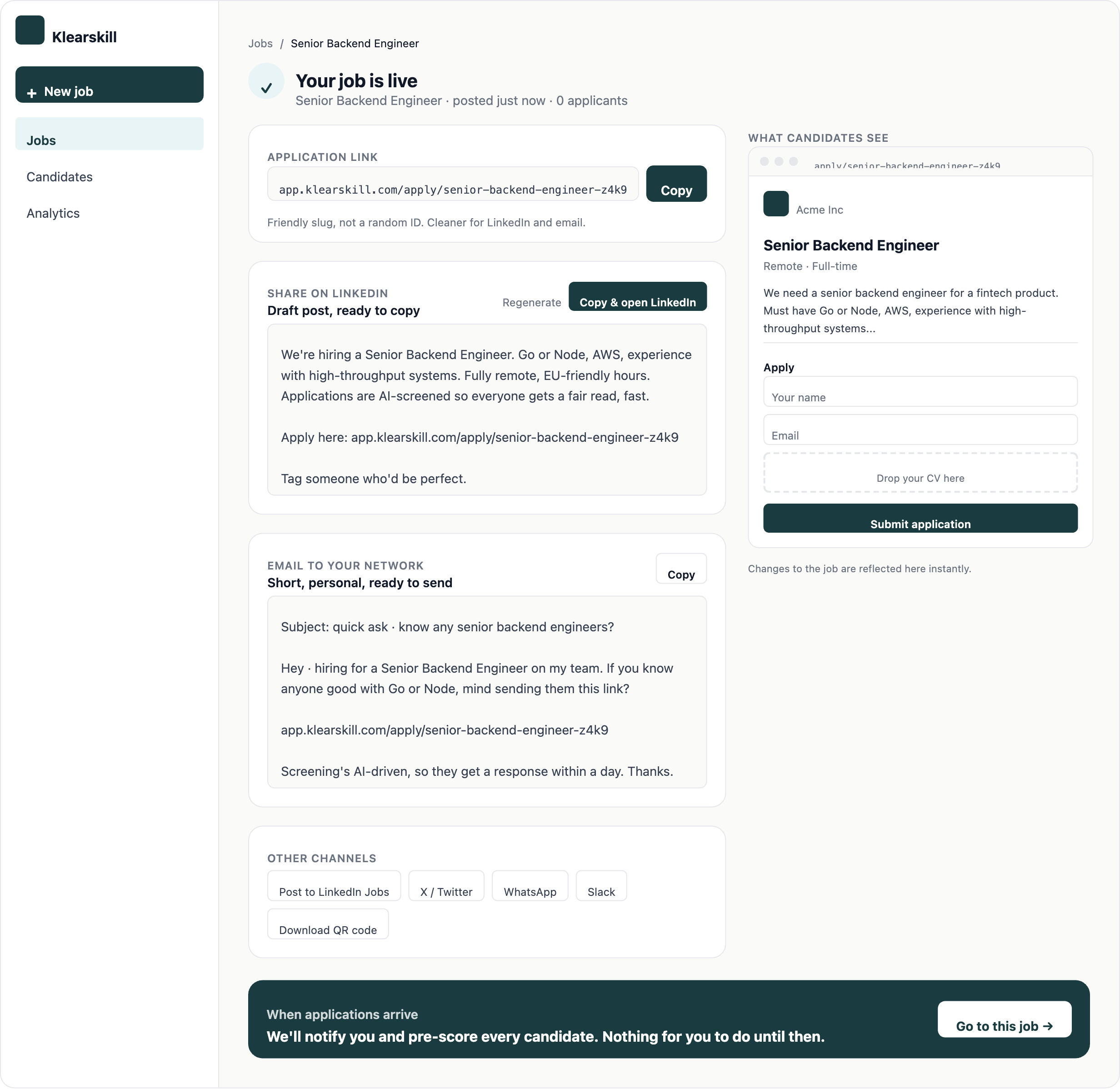
Click Publish job. The role goes live. You are sent to the Job published page with three things:
- A direct link to the public application page (anyone can apply, no account needed)
- Pre-written share copy for LinkedIn, email, and Slack
- A button to go back to the job dashboard
Step 5: Get the link in front of candidates
Klearskill does not post the job for you. Once you have the link, paste it anywhere candidates already are. Every applicant lands in the same Klearskill pipeline regardless of the channel they came from.
- LinkedIn feed post: hit Copy on the pre-written LinkedIn share copy, paste into a new post, and hit Publish. Add the link at the bottom.
- LinkedIn Jobs (paid): create a job on LinkedIn Jobs and paste the Klearskill application URL as the apply link so all applications flow into your pipeline.
- Your own careers page: add a button linking to the application URL. No embed or API required.
- Job boards: paste the URL as the apply link on Indeed, Otta, Wellfound, Hacker News Who is Hiring, or any board you use.
- Your team: drop the link in Slack, WhatsApp groups, and email newsletters so employees can refer.
- Twitter, Bluesky, and Reddit: share the link with a one-line pitch. Job posts in relevant subreddits and communities often out-convert paid boards.
The link never expires until you close the job, and there is no per-channel setup. If you want to see which channel each applicant came from, add a tracking parameter (for example, ?src=linkedin) and Klearskill will record it on the candidate profile.
What happens next
- Candidates apply via the public link and each application is auto-scored by AI against the role
- The first applicants typically arrive within hours of the role going live
- Strong candidates show up in the Recommended section of the candidates table, scoring above 85
- You will get an email when the first Recommended candidate appears
Common issues
My job description is too long. The current limit is 5,000 characters. If yours is longer, trim the boilerplate. Candidates skim job descriptions, and long ones hurt conversion.
I want to edit the job after publishing. From the job dashboard, click the three-dot menu on the job card and select Edit. Most fields are editable. Once a candidate has applied, you cannot change the application questions retroactively.
I do not see the Publish button. All required fields need to be filled. Scroll up and look for any field marked with a red asterisk.
What to do next
Connect your email so you can message candidates from inside Klearskill, then read up on how candidate scores work before your first applicants arrive.