
Trial, pricing, and upgrading
Updated July 9, 2026 · 3 min read
Klearskill is free to try. Your first job is on us, plus 25 CV credits, with no credit card needed. After that, pick the plan that fits how often you hire.
What you get for free
When you sign up:
- 1 free job credit
- 25 CV credits included in the free trial
- The full product with no feature gating
- 60-day job listing on the free job
Your free credits do not expire. Use them whenever.
After the free trial
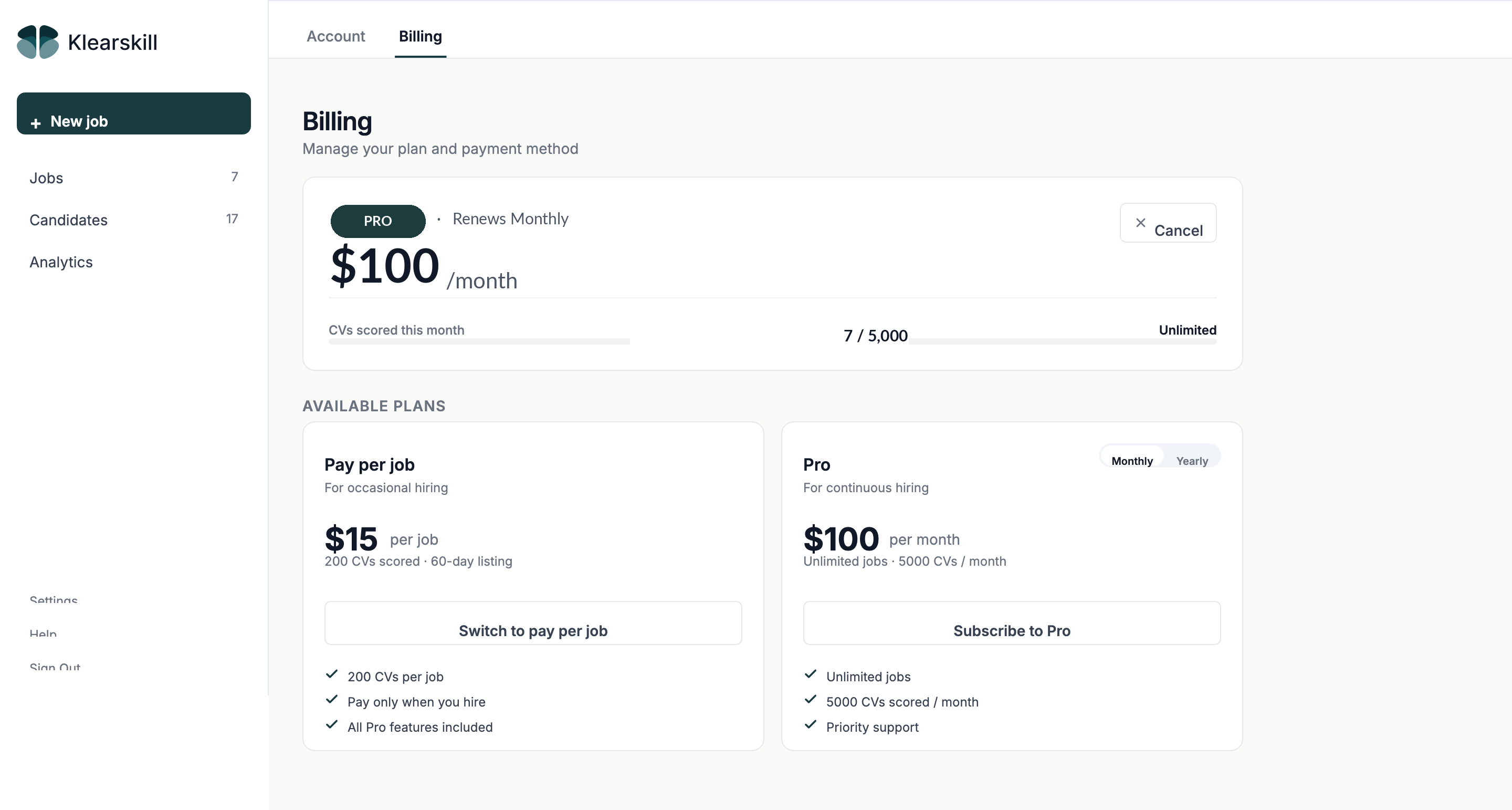
Two options: Pay per job at $10 a month for unlimited jobs, or Pro at $50 a month.
Pay per job
$10 a month for unlimited jobs. Includes unlimited CV scoring, full product access, 60-day listing.
Best for occasional hiring, agencies billing per project, and anyone hiring fewer than four or five jobs a month.
Pro (monthly subscription)
$50 a month flat. Unlimited jobs. Unlimited CVs scored (fair use protects against abuse).
Best for continuous hiring, in-house teams, and anyone hiring more than four or five jobs a month. Both plans include the same features. The difference is how often you pay.
How to upgrade
The upgrade page lives at Settings, then Billing, or it pops up automatically when you click Publish job without any credits available.
Choose Pay per job or Pro, click the button, and Stripe handles the checkout. Your card is charged, your account upgrades, and you are back in the app within seconds.
Switching between plans
Pay per job to Pro: click Get Pro anywhere in the app. Your monthly subscription kicks in immediately. Any unused per-job credits stay in your account and you can use them later if you cancel.
Pro to pay per job: cancel your subscription from Settings, Billing, then Manage subscription. You stay on Pro until the end of your current billing period. After that, your account reverts to free state plus any per-job credits you have.
Pro to Pro (no change needed): just keep going. Your subscription auto-renews monthly.
What fair use means on Pro
Pro includes unlimited CV scoring. Fair use exists to prevent abuse like API scraping or multiple companies sharing one account. If your usage pattern looks like automated scraping, we reach out.
If your usage looks like scraping or shared-account abuse:
- We contact you to understand the pattern
- Genuine high-volume hiring stays supported without changes
- If it is API abuse or account sharing, we work with you to move to Enterprise or shut down the abuse
There is no monthly counter. Fair use is judged by pattern, not by number.
What happens if I cancel
You stop paying. Your access stays active until the end of your current billing period. For example, if you paid on the 5th and cancel on the 20th, you have until the 5th of next month.
After that:
- Your data is never deleted, past candidates, jobs, and emails all stay accessible
- New job posting requires either free credits or a paid purchase
- The AI scoring engine and all features stay accessible for read-only review
You can reactivate at any time from Settings.
Common questions
Can I get a refund? For Pro, prorated refunds are not automatic, but if you cancel within 7 days of starting, contact us and we will refund. For per-job, if you publish a job and unpublish it within 60 minutes, the credit is automatically refunded. After 60 minutes, the credit is consumed.
What if my card fails on a renewal? Stripe retries automatically over a few days. If the retries fail, your subscription pauses and you will see a banner asking you to update your card. Your data is never deleted, you just lose the ability to publish new jobs until the card is fixed.
Do you offer Enterprise pricing? Yes. For teams over 20 seats, SSO, custom SLAs, or dedicated support, email support@klearskill.com.
What to do next
Connect your email so your stage emails actually send, then post your first job if you have not yet.