
Understanding candidate scores
Updated April 23, 2026 · 4 min read
Every candidate that applies to your role gets an overall score from 0 to 100. The score is what you should look at first. Then, before you decide to interview anyone, open their candidate detail page and read the breakdown.
The score is a weighted average
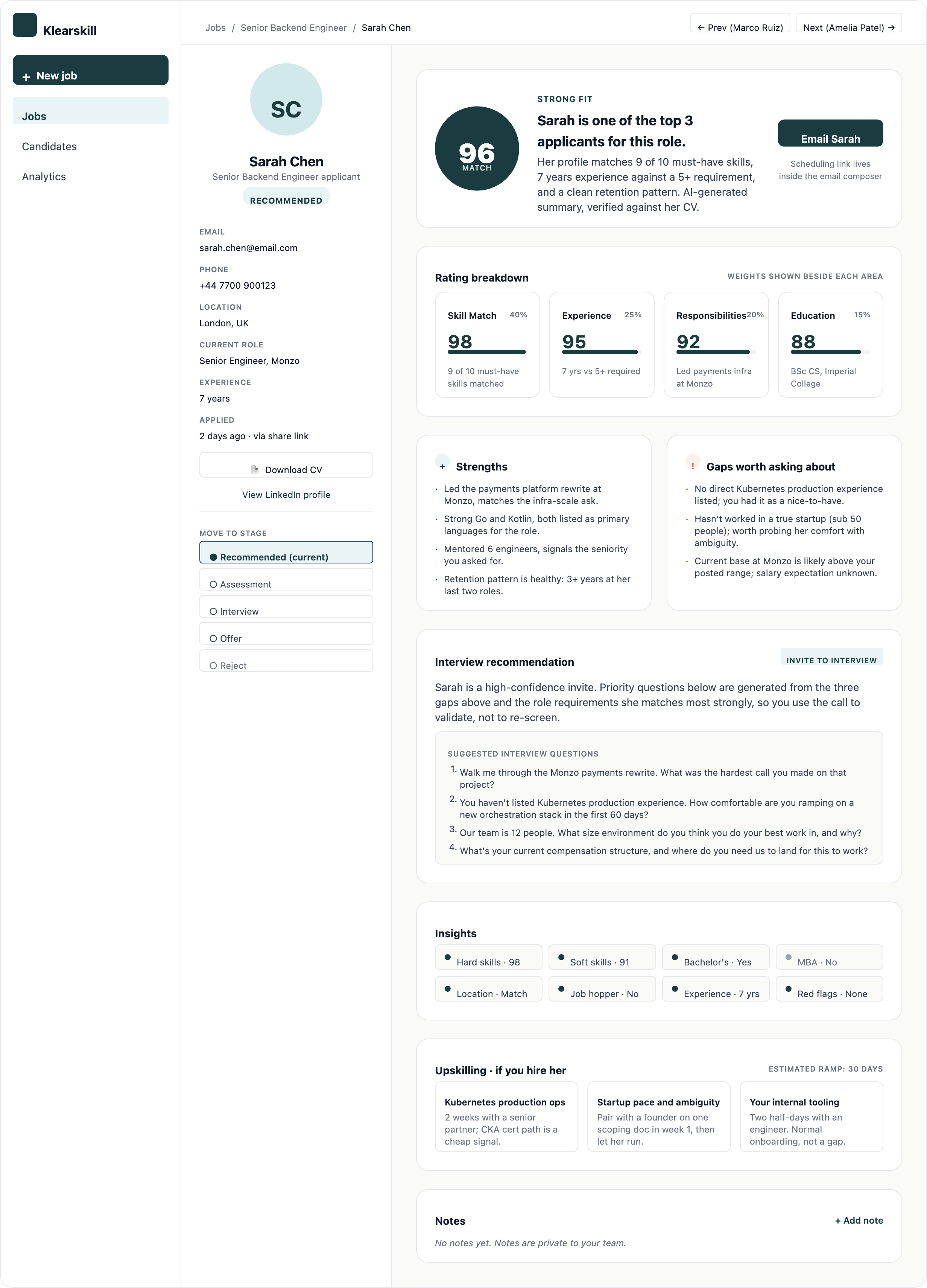
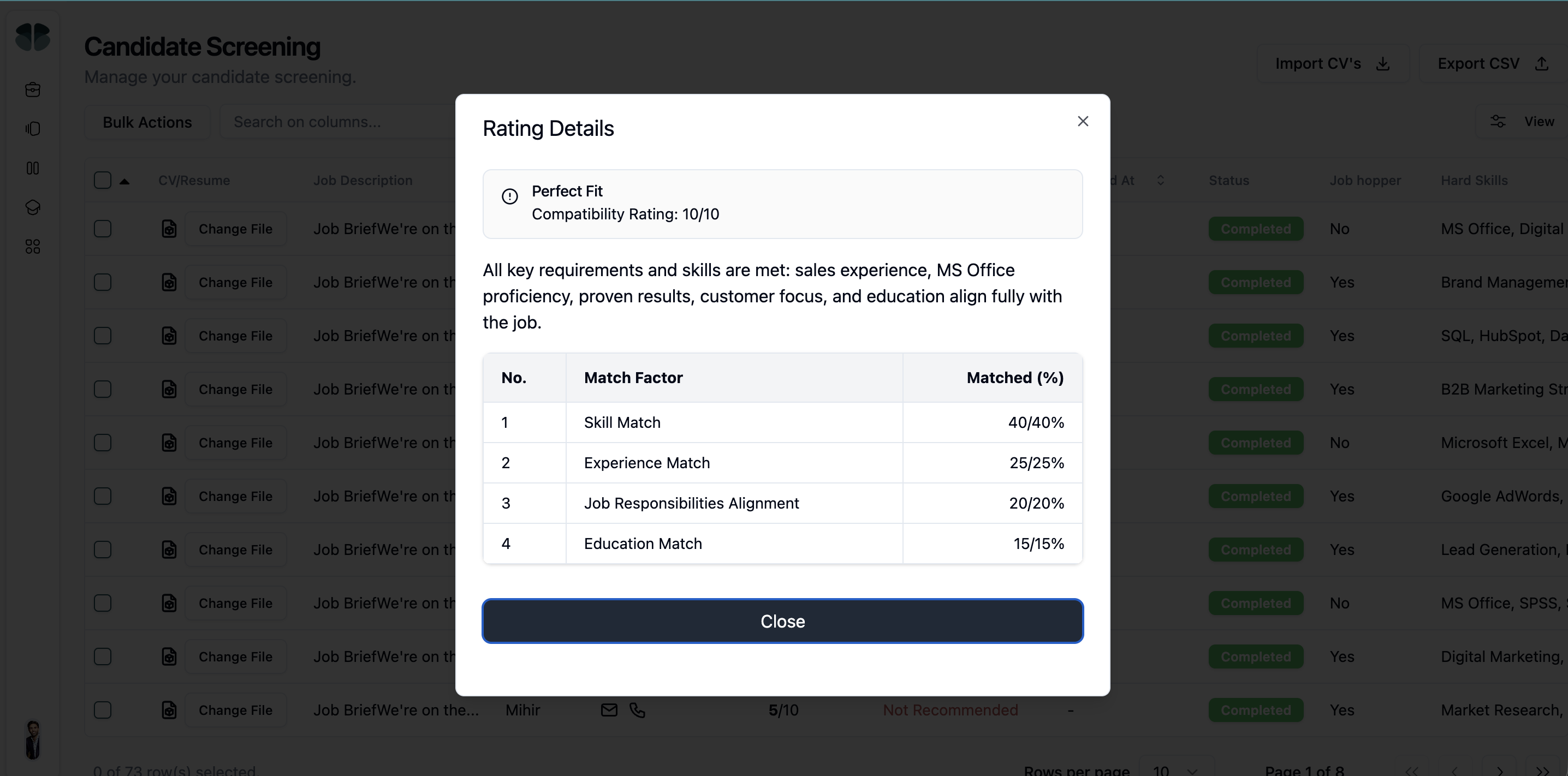
The overall score is a weighted average across four insights: Skill Match at 40%, Experience at 25%, Responsibilities at 20%, and Education at 15%.
- Skill Match (40%): whether the candidate's listed skills match your job description
- Experience (25%): years of relevant experience and seniority signal
- Responsibilities (20%): whether they have done the actual work the role involves
- Education (15%): relevant degrees, certifications, or training
A candidate scoring 96 has high values across all four. A candidate scoring 72 might be strong in one area and weak in another.
What Recommended means
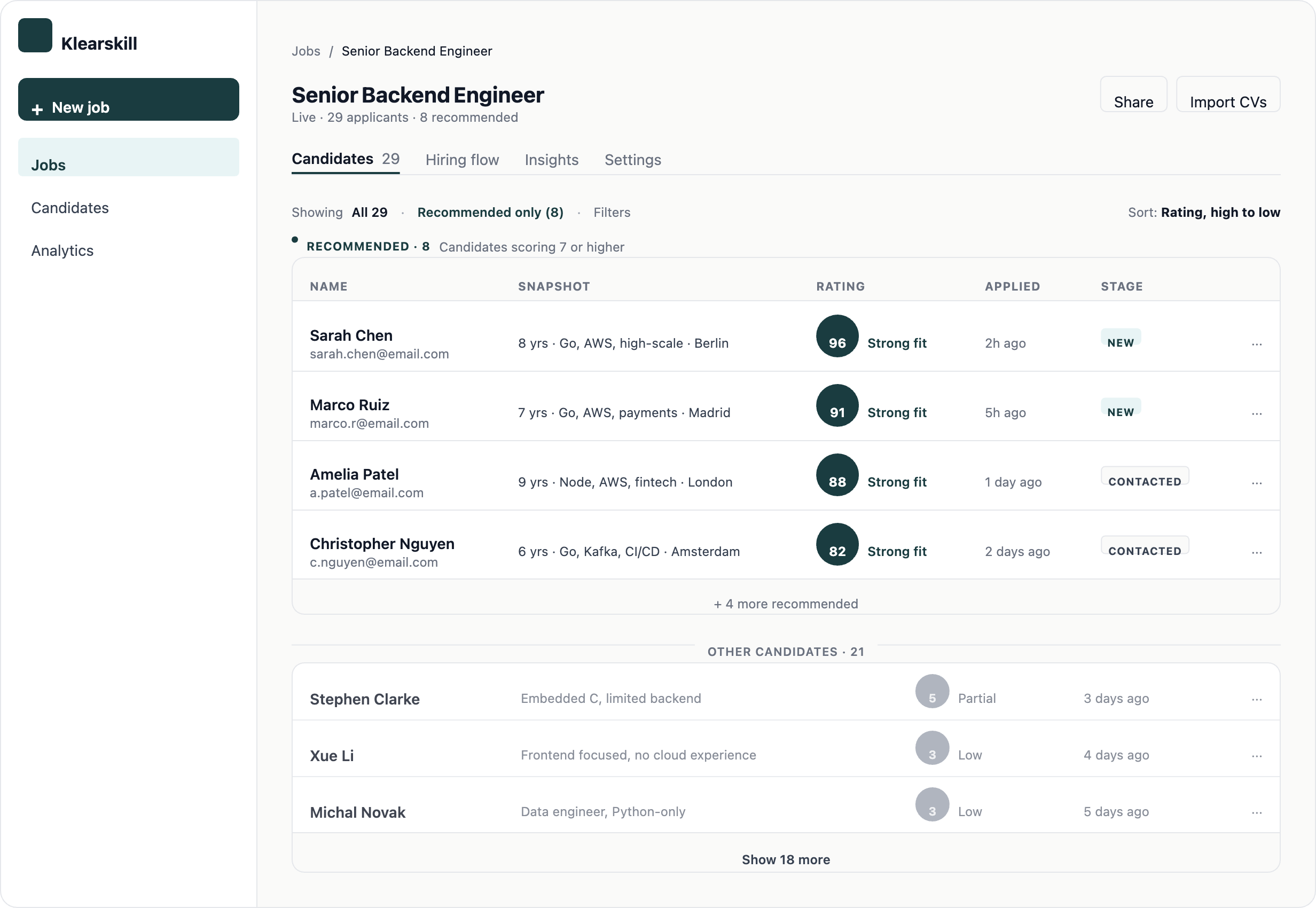
Candidates scoring 85 or higher are flagged as Recommended and shown in a separate section at the top of the candidates table. These are the ones to look at first.
Candidates scoring 60 to 85 still get full review and are visible in the table, just not foregrounded. Below 60, the AI thinks the role is a poor fit.
Opening the candidate detail page
Click any candidate row to open their detail page. This is where the score breakdown lives.
The page has three things you should read in this order: the overall score with the four-insight breakdown, the strengths and things to probe, and the tailored interview questions.
The overall score and the four-insight breakdown
The big number on the left is the overall score. Below it, a row for each of the four insights with the candidate's score on that axis, the weight, and a one-sentence reason.
Strengths and things to probe
- Strengths: 3 to 5 specific things the AI noticed that make this candidate strong, quoted from the CV
- Things to probe: 1 to 3 gaps or unclear areas, use these as topics for an interview
Interview questions (Recommended candidates only)
For every candidate marked Recommended, Klearskill auto-generates five tailored interview questions based on the CV and the job. Mix of skill probes, behavioural questions, situational scenarios, and motivation questions.
For non-Recommended candidates, click Generate interview questions if you want them. Takes about 5 seconds.
Telling us when the score is wrong
Below the score, two thumb buttons ask Was this right? Click thumbs up or thumbs down.
- Thumbs up: the score matches what you would give this candidate, we log it
- Thumbs down: the score is off, optionally tell us which insight was wrong and whether the score is too high or too low
Every thumbs-down is reviewed by our team weekly. Patterns improve the AI for everyone, but your individual feedback does not change the score for the next candidate. The model is calibrated based on aggregate patterns, not individual cases.
What the score is not
- It is not a predictor of who you will hire, it is a filter to save you reading time
- It is not a measure of the candidate as a person, it is a fit-for-this-role number
- It does not look at LinkedIn, GitHub, or any data outside the CV the candidate uploaded
Common questions
The AI scored someone 96 but they are a weak candidate. Why? Likely the CV looked strong on paper but the candidate does not match the unwritten requirements (culture fit, communication style, ambition level). Use the Things to probe section as your interview agenda. Many wrong 96 scores come up clean once you ask the right questions.
The AI scored someone 62 but I want to interview them anyway. Move them to the Assessment stage from their detail page. The AI will auto-generate interview questions for them once they are in Assessment, even though they are not Recommended.
Why does the AI not know that this candidate has 10 years of experience? Their LinkedIn is clear. The AI only reads the CV the candidate uploaded. If the CV does not list the role or years explicitly, the AI cannot score it. Your application form should ask candidates to upload a real CV, not just a LinkedIn URL.
What to do next
Read the candidates table article to understand how Recommended and Others are split, then move over to the hiring flow kanban to move strong candidates through your stages.