
Score Candidates Using YourExact Preferences
This feature gives you flexibility to change scoring dynamics for each role. Adjust how much weight goes into skills, experience, education, or responsibilities, then apply those preferences per job for smarter, more relevant candidate ratings.
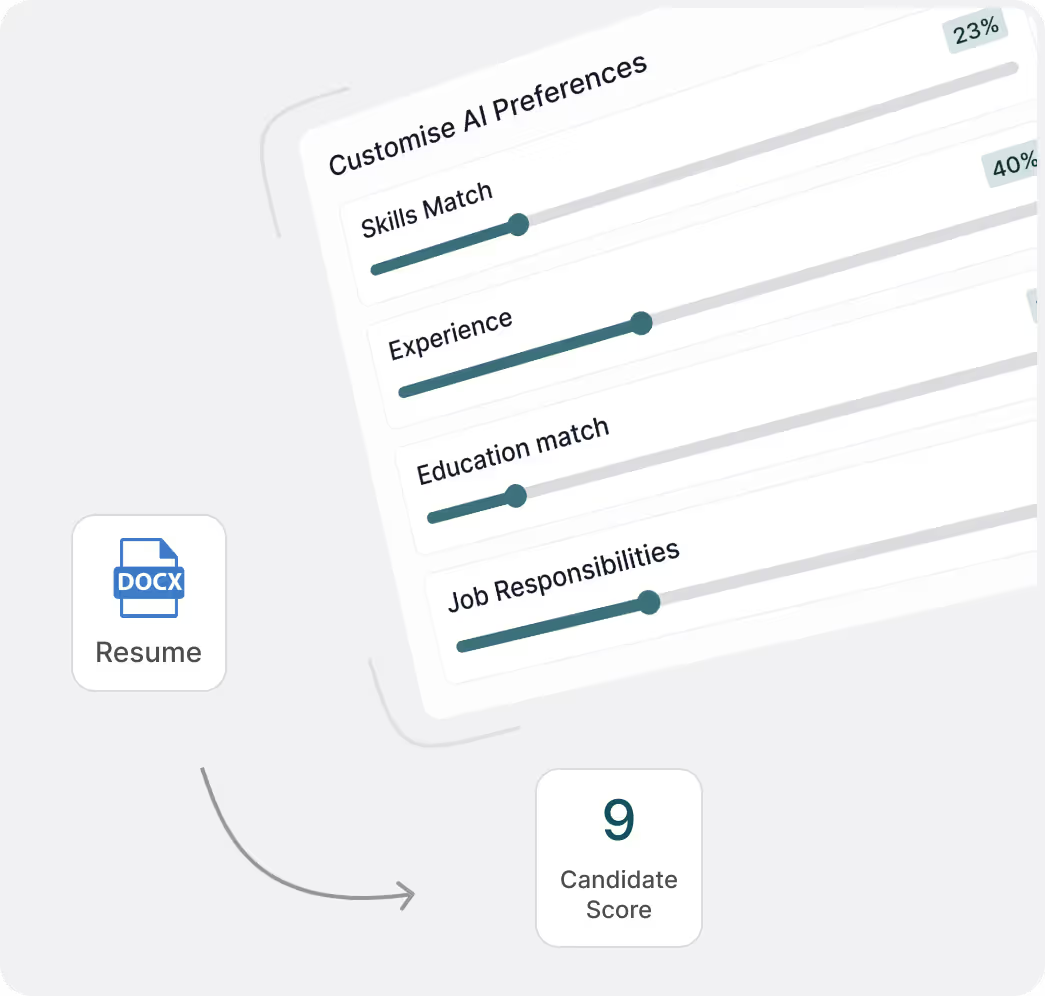
How AI Preferences Work
Define how the AI evaluates candidates, save preferences as reusable templates, and apply them per job to get role-specific candidate scores.
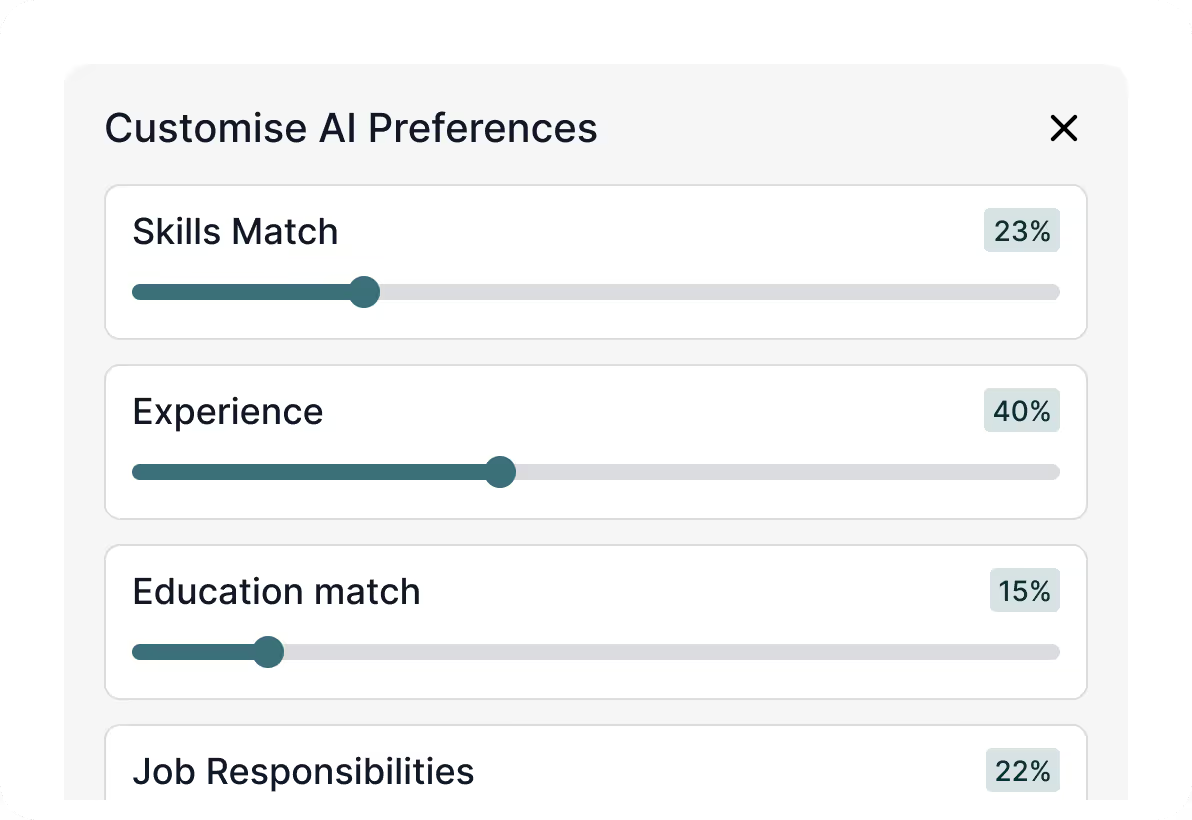
Define What the AI Should Prioritize
Adjust sliders to control how much importance the AI gives to different evaluation factors.
Each role is different, AI Preferences let you reflect that reality. Some roles require a larger emphasis on skills or some academic roles require more emphasis on education. Now you can choose.
Each role is different, AI Preferences let you reflect that reality. Some roles require a larger emphasis on skills or some academic roles require more emphasis on education. Now you can choose.
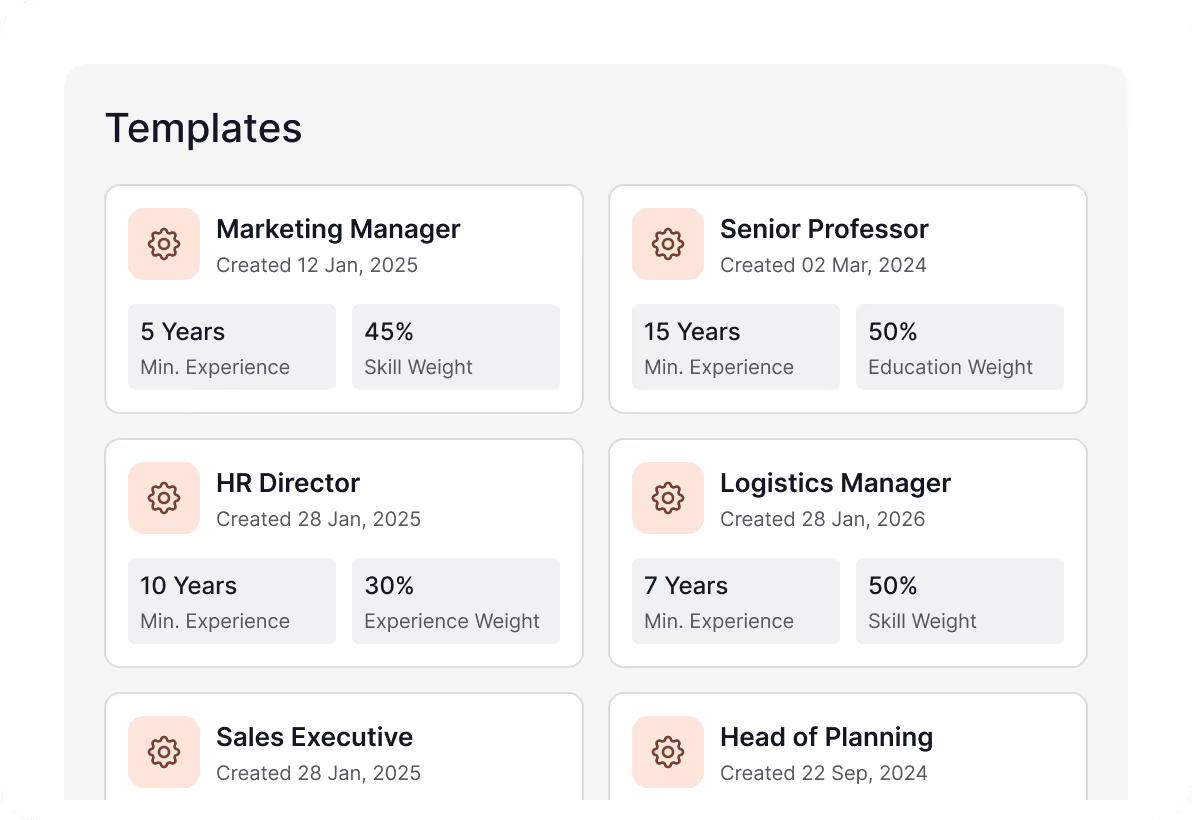
Save and Reuse Preference Templates
Once configured, save your AI preferences as templates for future use. You are able to test your new AI preference in the Playground before using it in a live job.
Reuse templates across similar roles to ensure consistency and faster job setup.
Reuse templates across similar roles to ensure consistency and faster job setup.
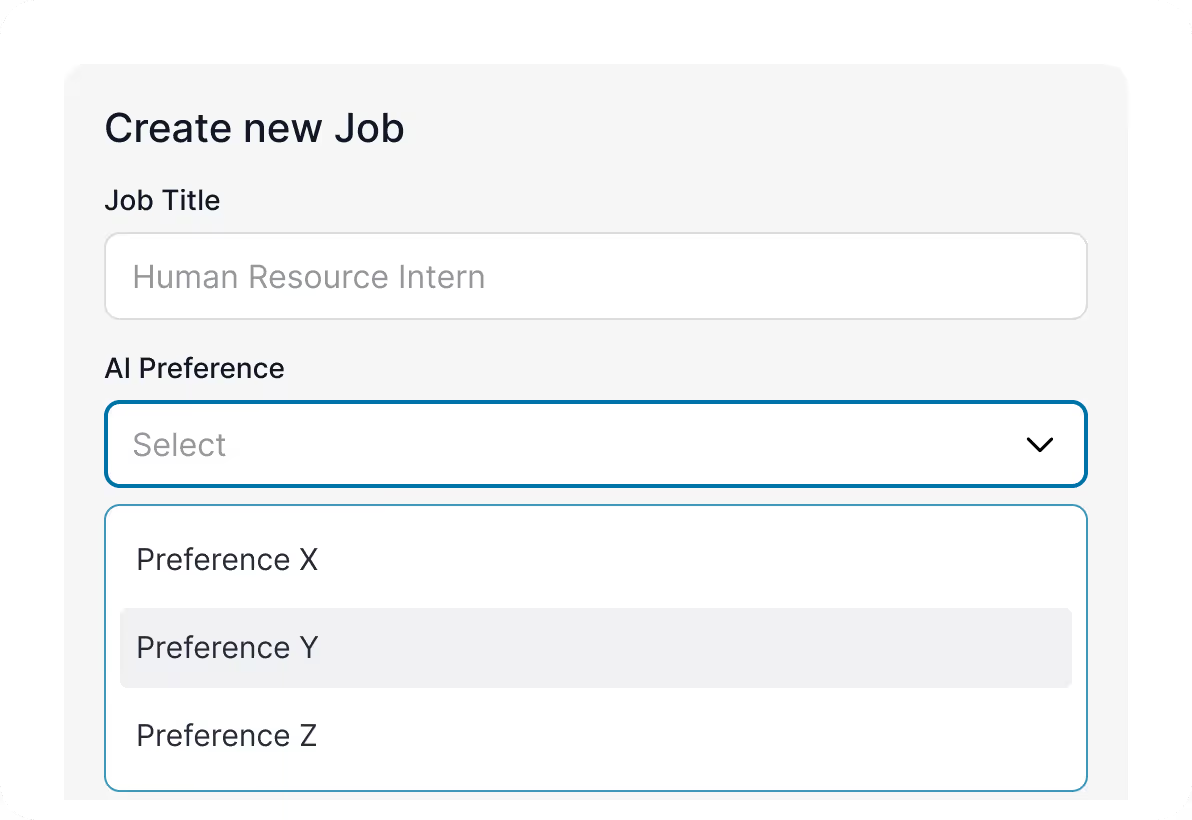
Choose Preferences Per Job
When creating a new project, simply select which AI preference template should be used.
The AI immediately adapts its evaluation logic based on your selection.
The AI immediately adapts its evaluation logic based on your selection.
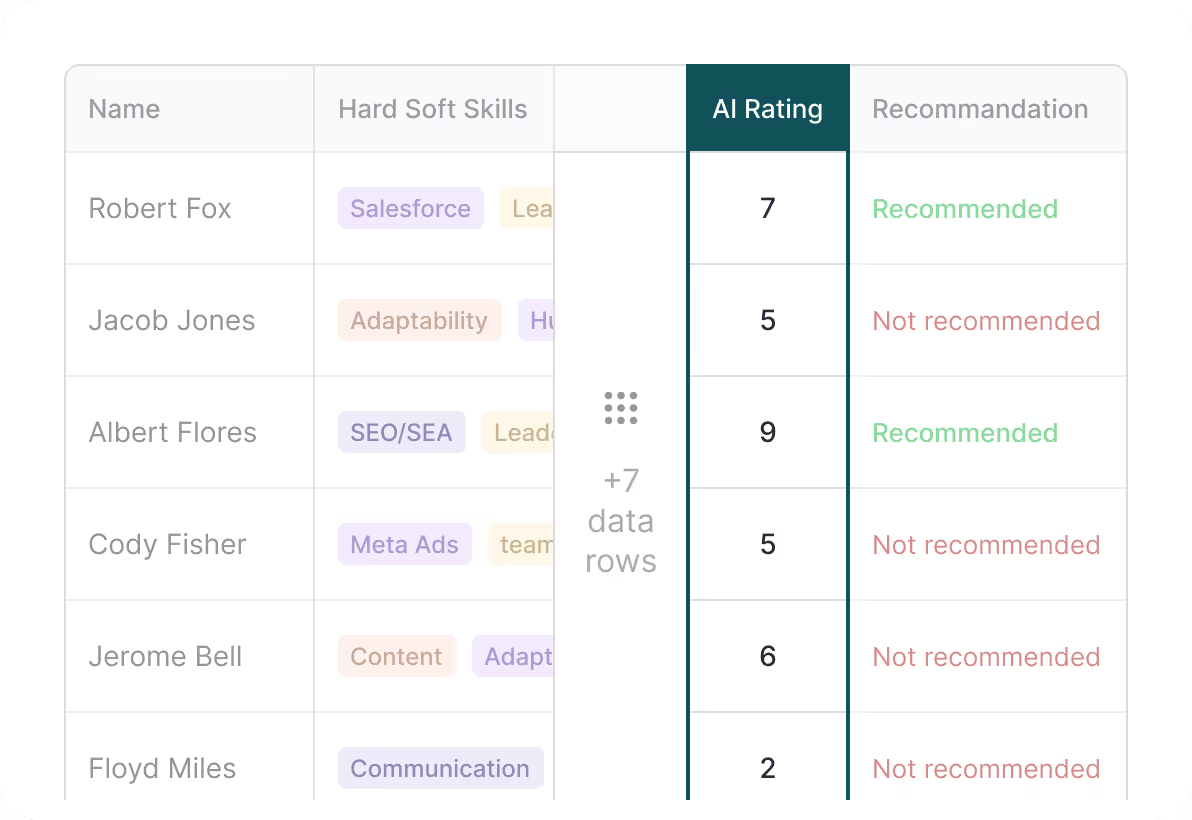
Candidate Scores Based on Your Criteria
Candidate ratings are calculated using the selected AI preference so scores reflect what you care about, not assumptions.
This ensures rankings are relevant, transparent, and aligned with your hiring goals per job.
This ensures rankings are relevant, transparent, and aligned with your hiring goals per job.

Accelerate talent acquisition

