
Build Your First Hiring Workflow in Klearskill
Set up stages, automations and scoring so every role runs on autopilot from application to offer.
A hiring workflow is the backbone of fast, consistent hiring. In Klearskill it lives inside a single job: one role, one scoring rubric, one kanban, one set of stage emails. This guide walks you through building your first workflow end to end, from the job create form to a working pipeline.
Step 1: Create the role
From the projects dashboard, click New Job in the sidebar. The create page is a single scrollable form. There is no multi-step wizard.
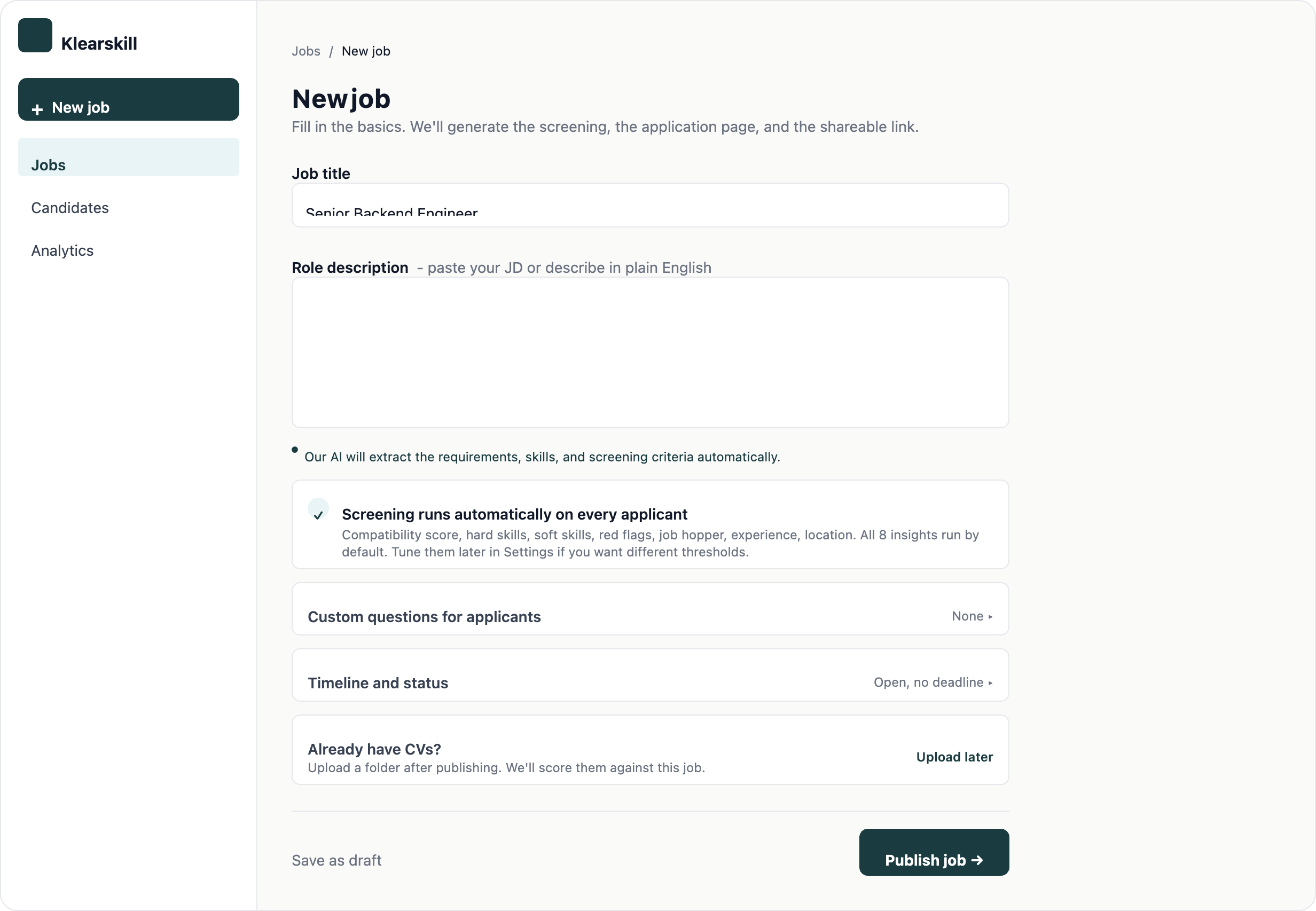
Fill in six sections in order:
- The basics: job title, an internal name only your team sees, and department
- Location and type: office location plus full-time, part-time, or contract
- Dates and volume: start date, application close date, and an applicant cap (50 is a sensible default)
- Job description: paste from a doc, 5,000 character limit
- Questions for applicants: default questions are pre-filled, add any custom fields you need
- AI scoring: leave this on so every applicant is scored the moment they apply
A tight, specific job description gives the AI more to work with. Vague descriptions produce generous scores that do not filter well.
Step 2: Set the AI scoring preferences
Every role is different. A senior engineer role should weight experience higher, a graduate role should lean on education, and a specialist role should push skill match to the top.
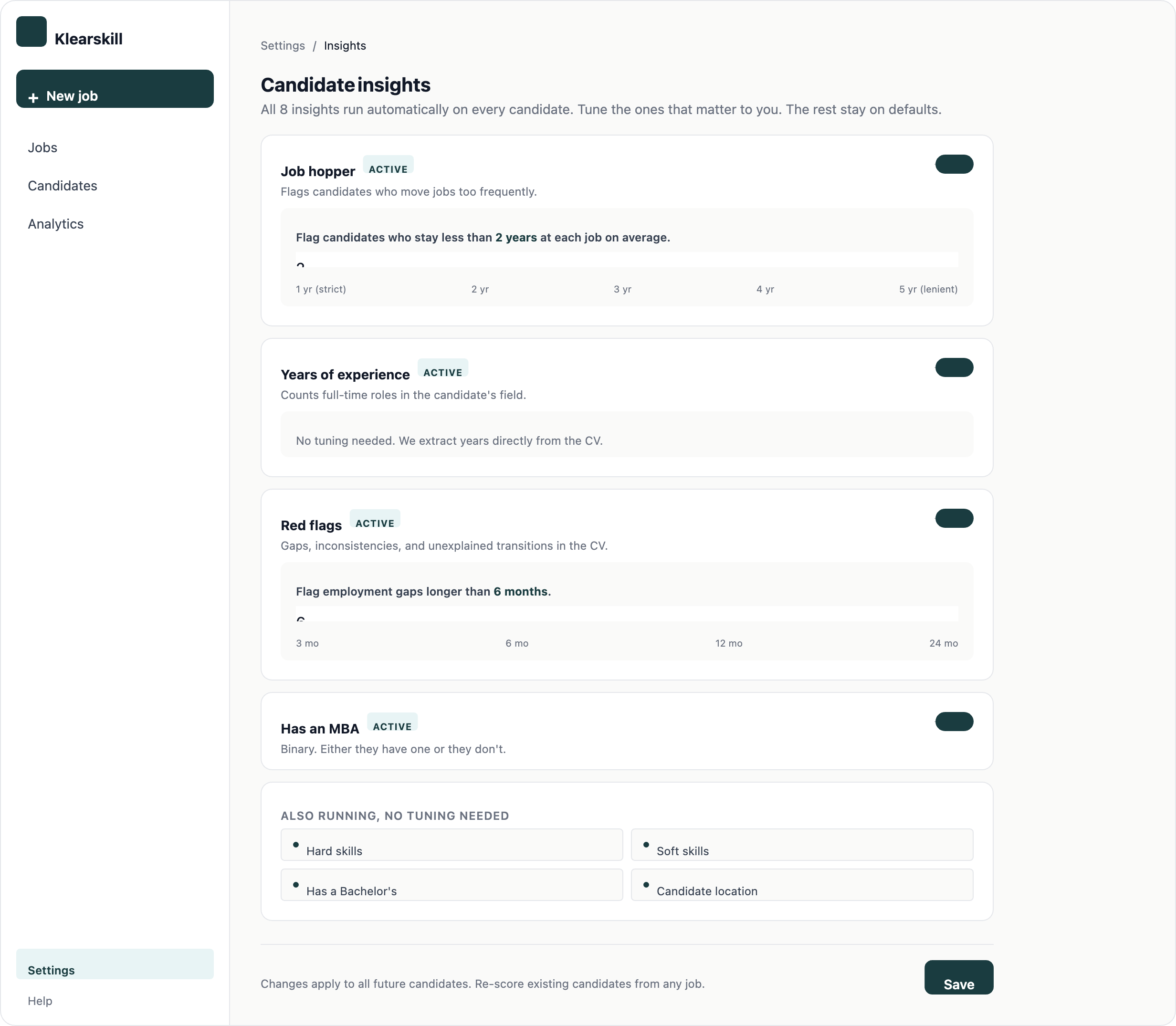
Set the weights on Skill Match, Experience, Responsibilities, and Education. The defaults are 40, 25, 20, and 15 respectively. Move them until the split matches what you actually hire on. You can adjust later, and every candidate score recalculates automatically.
Step 3: Publish the job and set up your kanban
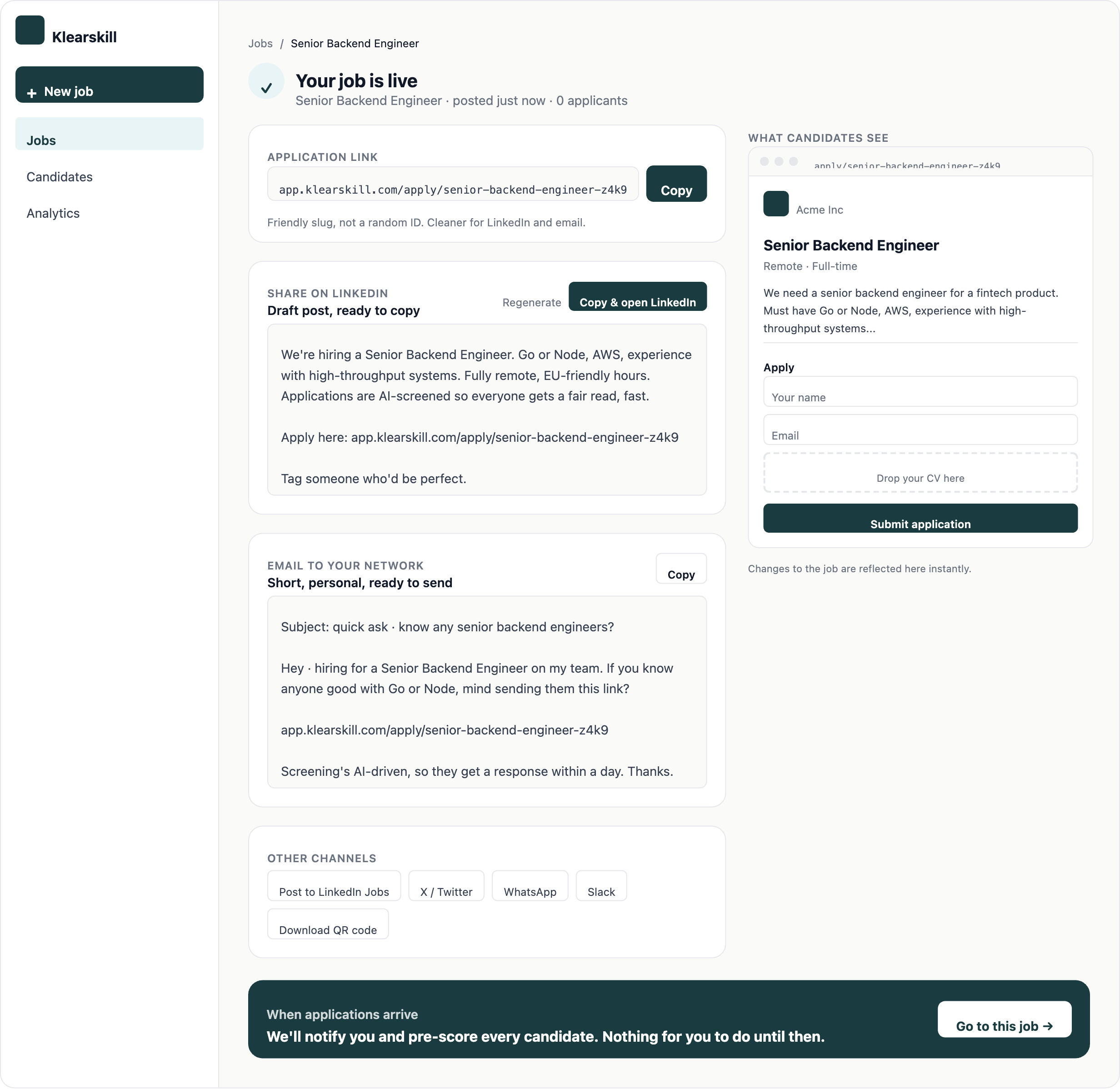
Click Publish job. The role goes live and you get a public application URL, pre-written share copy for LinkedIn, email, and Slack, plus a link back to the dashboard.
Your job now has a per-job kanban with five stages: Recommended, Assessment, Interview, Offer, and Hired, plus a collapsed Rejected section. Every new applicant with a score of 85 or higher lands in Recommended by default.
Step 4: Attach stage emails
Head to Settings, Stage emails to attach a template to each stage. When a candidate moves into a stage, Klearskill can send the email automatically, suggest it for review, or stay silent.
- Recommended: Off by default, this is your inbox
- Assessment: Suggest, so you can tweak the message before it goes
- Interview: Suggest, same reasoning
- Offer and Hired: locked to manual, we never auto-send these
- Rejected: Suggest, with a polite template ready to go
Use dynamic variables like {Applicant_Name} and {Job_Title} so every message feels personal without manual editing.
Step 5: Review candidates and move the strong ones forward
Once applications start coming in, open the Candidates tab on the job. The table splits into Recommended (85+) and Others. Start with Recommended.
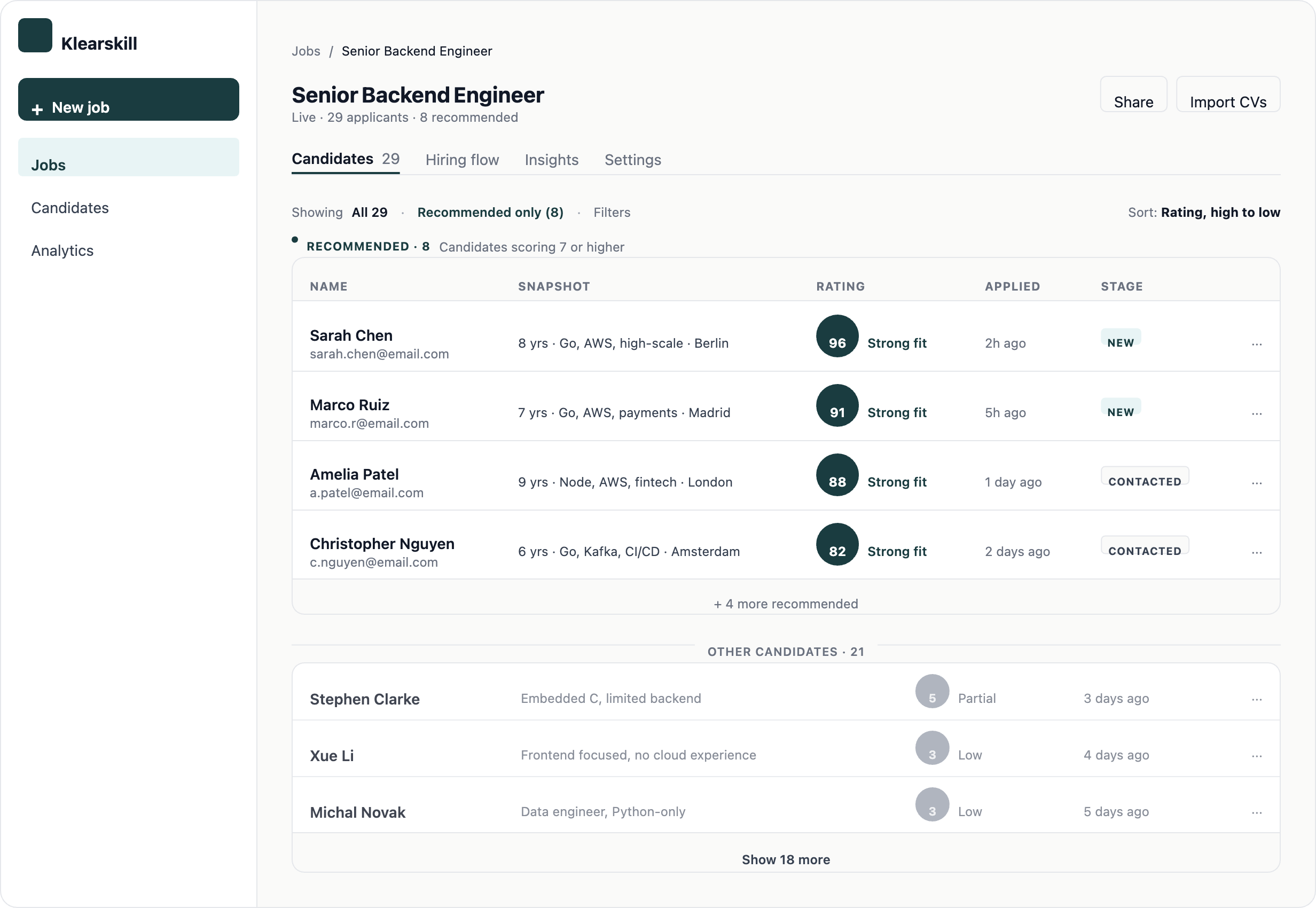
Click a row to open the candidate detail page. Read the score breakdown, the strengths, and the things to probe. If the candidate is worth interviewing, move them to Assessment from the sidebar. The stage email panel slides in so you can send a message with the move.
From there, move candidates through Interview, Offer, and Hired as your process demands. Score bubbles stay visible on every card so you always know how strong a candidate is at a glance.
What good looks like after a week
Around 10 to 15% of applicants sit in Recommended. Two or three of them are in Assessment or Interview. Rejected has cleared the obvious no-fits so your inbox is not cluttered. Stage emails have gone out on time, and every candidate has heard something within 48 hours of applying.
If the numbers look off, it is usually one of two things. Either your job description is too vague (tighten it), or your stage email policy is set to Off everywhere (candidates never hear back).
What to do next
Read the candidate score breakdown to sharpen your interview questions, then tune the AI scoring weights if you notice a recurring gap between what the AI recommends and who you actually hire.