
Tune AI Scoring to Match Your Hiring Priorities
Adjust how the AI weighs skills, experience and education so scores reflect what matters for your roles.
Out of the box, Klearskill's AI scoring is balanced across four insights: Skill Match at 40%, Experience at 25%, Responsibilities at 20%, and Education at 15%. Balanced is a fine starting point. It is rarely the right point for a specific role. This guide walks through how to tune the AI so scores actually reflect what you hire on.
Step 1: Understand the four scoring insights
- Skill Match: whether the CV lists the specific skills your job description asks for
- Experience: years of relevant experience and seniority signal (job titles, tenure, progression)
- Responsibilities: whether the candidate has done the actual work the role involves, not just held the title
- Education: relevant degrees, certifications, and formal training
The overall score is a weighted average. Change the weights and every candidate score recalculates.
Step 2: Adjust weights for your role
Weights live under AI scoring on the job create page, and can be edited later from the job settings. Move the sliders until the split matches how you actually decide.
Rules of thumb:
- Senior technical roles: push Skill Match to 45% and Experience to 30%
- Graduate or entry roles: lift Education to 30% and drop Experience to 10%
- Specialist or niche roles (e.g. embedded systems): push Skill Match to 55% and Responsibilities to 25%
- Generalist roles: keep the defaults, they work
The AI recalculates the whole shortlist within seconds. Watch the Recommended count change as you adjust.
Step 3: Add custom insights
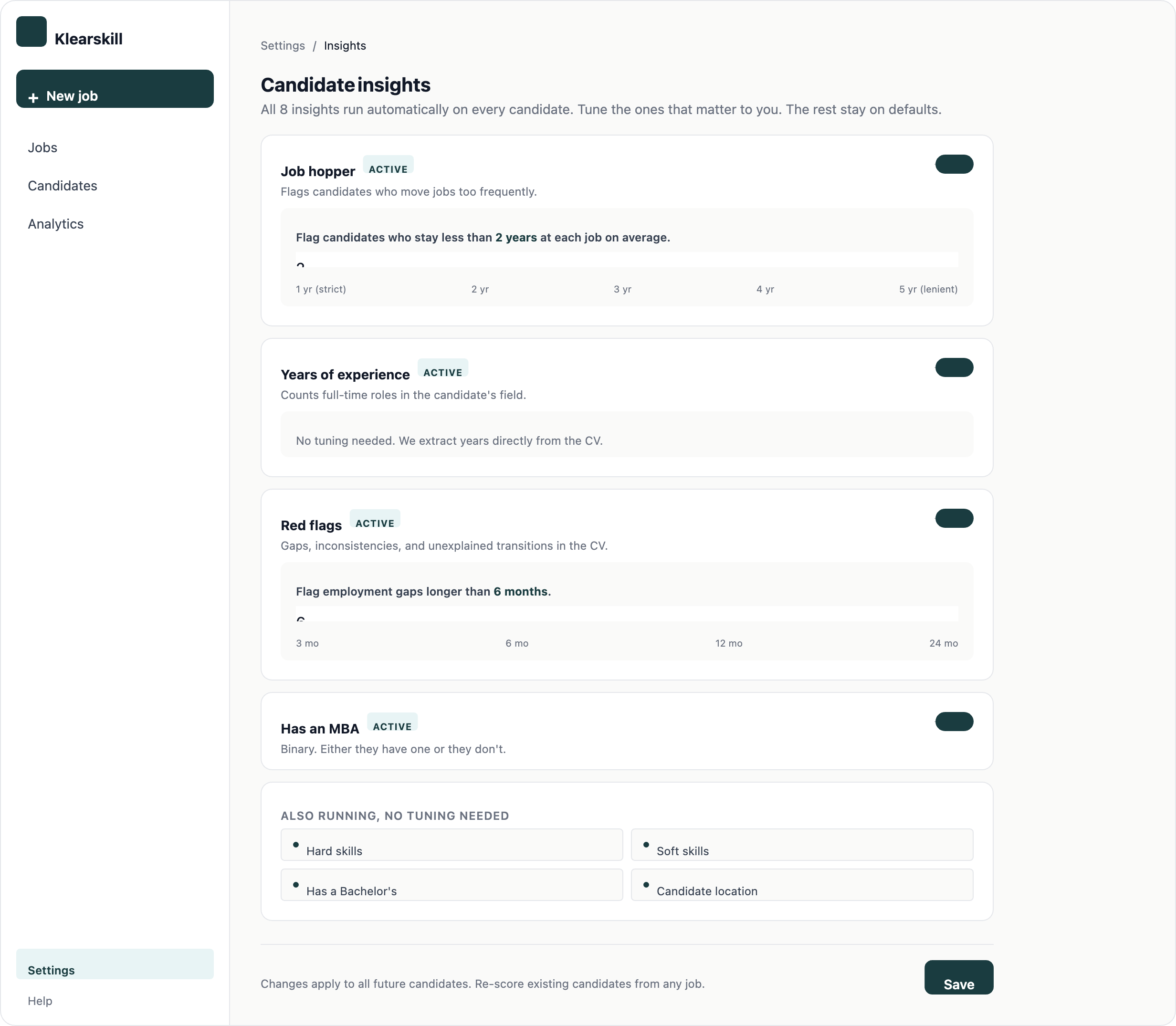
The four default insights are the top of the tree. Underneath, Klearskill scores against custom insights that you define per role: red flags to avoid, job stability, specific tools, or domain experience.
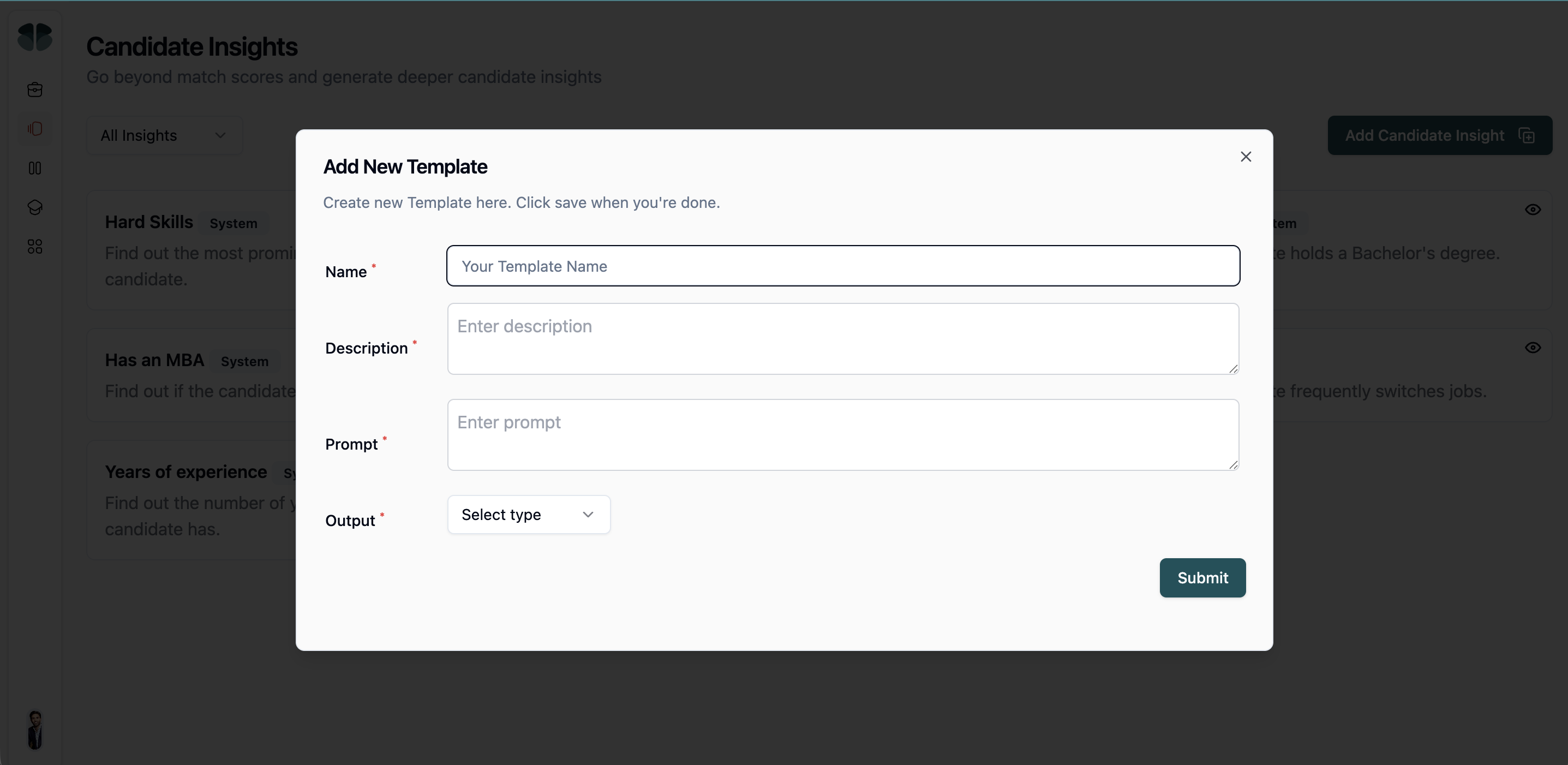
Write a custom insight as a plain-English question. For example:
- Has the candidate held their last role for more than 18 months? Job stability signal
- Does the CV mention shipping consumer-facing products? Domain signal
- Any gaps longer than 6 months without explanation? Red flag signal
- Does the candidate have experience with our specific tech stack? Skill overlap
The AI applies the insight to every candidate consistently. You see the answer on the candidate detail page under Custom insights.
Step 4: Read the candidate rating detail
Every scored candidate has a rating detail on their profile. This is where you check whether the AI is actually doing what you want.
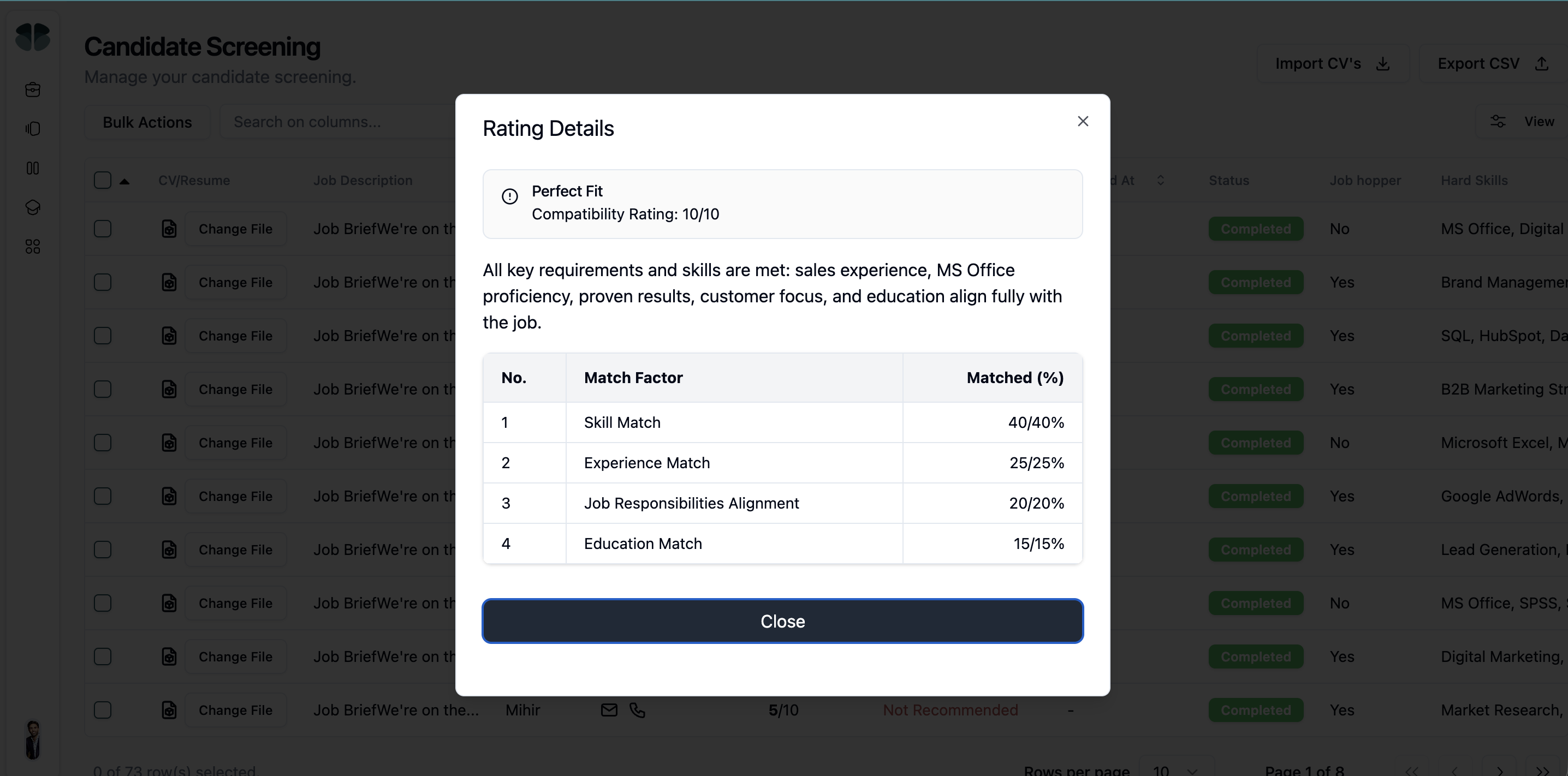
Read three things in this order: the overall score, the four-insight breakdown, and the strengths and things to probe. If the score feels off, the four-insight breakdown usually shows why. Maybe Experience is dragging the score down because the CV lists two years when the role wants five.
Step 5: Give thumbs feedback on wrong scores
Below every score, two thumb buttons ask Was this right? Every thumbs-down is reviewed by our team weekly and feeds into calibration for everyone.
When you thumbs-down, tell us which insight was wrong and whether the score is too high or too low. This is the highest-leverage feedback you can give. Aggregate patterns improve the model, even if your individual thumbs-down does not change the next candidate's score for you.
Step 6: Iterate weekly
Tuning is not a one-shot activity. After a week of applications, compare the top 5 candidates the AI recommended against the top 5 you actually want to interview. If they match, the weights are right. If they do not, look at what the AI missed and adjust:
- AI recommended too many junior candidates: raise the Experience weight
- AI missed candidates with the right domain: add a custom insight for that domain
- AI over-weighted degrees: drop Education weight to 5 or 10%
- AI included candidates with obvious red flags: add a red-flag custom insight
Repeat every two to three weeks until the top of your Recommended list looks like your ideal interview shortlist.
What good looks like
A well-tuned role produces a Recommended list where 70 to 80% of the top candidates are worth an interview. If you are seeing much less, the weights and custom insights are not doing their job yet. Keep tuning.
What to do next
Build your first hiring workflow if you have not yet, and read the candidate score breakdown to understand how insights combine into an overall score.